
OvO Unblocked — Play Free Online
More Runners & Driving games
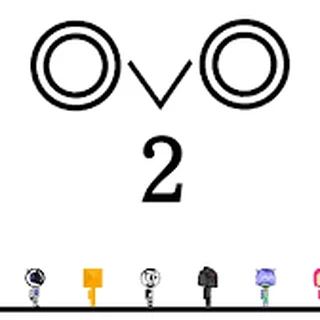


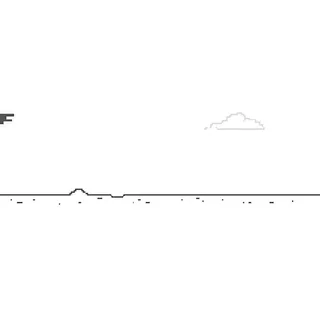

OvO unblocked: play OvO online free right here in your browser — no download, no sign-up, works on a school Chromebook.
OvO is a stickman platformer built around momentum. You run, jump, slide and bounce off walls through a series of obstacle courses, and the whole game comes down to one question: can you keep your speed through the next gap? There is no combat and no inventory. A level is a short stretch of ground, spikes, saw blades and drops, and you either clear it or you start it again.
A session feels quick and a little stubborn. Crashes are instant and the restart is a single key press, so you never wait between attempts. That loop is why it sits comfortably next to the other timing games on A Dance of Fire and Ice: the fun is in learning a section by feel, failing at it three times, then running it cleanly on the fourth.
If you like the rhythm of A Dance of Fire and Ice, where every input has to land on time, OvO asks for the same kind of attention, only with your thumbs on a running character instead of a pivoting planet.
How to play
The left and right arrow keys, or A and D, move your character. Up or Space jumps. When you crash, press a key and the run restarts. On a phone you tap and swipe instead of using a keyboard.
Each level is a course you read as you go. Spikes and blades punish a late jump, and wide gaps reward a long run-up. Your speed carries from one section to the next, so the way you land on one platform decides how the next jump goes. The levels get tighter as you move through them, so a sloppy jump in the early stages becomes a failed run later.
Tips
- Build speed before a long gap, not at the edge of it. A short run-up that only just reaches the far side leaves no margin for error.
- Jump a fraction late rather than early. You can cover the extra distance by holding a direction in the air, but you cannot undo a jump made too soon.
- Learn each section in pieces. After a crash the restart is instant, so treat every attempt as practice for the next obstacle rather than a full run.
- On a laptop, keep one hand on the arrow keys and one on Space. Switching between A/D and the arrows mid-run is a common cause of mistimed jumps.
Similar games on A Dance of Fire and Ice
Two Button Bounce keeps the input as simple as possible and turns everything into timing and rhythm. G-Switch is a runner where you flip gravity instead of jumping over things. Level Devil is closer in spirit, since it is also a platformer where one wrong step ends the attempt, but there the traps are meant to surprise you. Rolling Jump and Squid Dash are good options if you want something lighter between harder attempts.
OvO suits short sessions of five or ten minutes, and it works well on a Chromebook with the keyboard. It runs in the browser with nothing to install, so you can pick it up on any machine in a few seconds.
Questions about OvO
Is OvO unblocked at school?
OvO runs in an ordinary browser tab from adanceoffireandice.com, with nothing to download or install, so it plays on most school Chromebooks and work computers. If a network filter blocks the site, only that network's administrator can change it.
What are the controls in OvO?
Left and right arrows or A/D move the character, and Up or Space jumps. After a crash, pressing a key restarts the run. On a phone you tap and swipe.
Is OvO free to play?
Yes. It runs in your browser on adanceoffireandice.com with no download or account.
Can I play OvO on a phone or Chromebook?
Yes. It is an HTML5 game that runs in a modern browser, with touch controls on a phone. A keyboard is usually easier for precise jumps.
What happens when I crash?
The run restarts as soon as you press a key, so there is no waiting between attempts.
More games








 Bad Ice Cream 3
 Heart Star
 Fireboy and Watergirl 6: Fairy Tales
 Fireboy and Watergirl 5: Elements
 Fireboy and Watergirl 4: The Crystal Temple
 Fireboy and Watergirl 3: The Ice Temple
 Fireboy and Watergirl 2: The Light Temple
 Fireboy & Watergirl: Forest Temple
 Tiny Fishing
 Classic Bowling
 Retro Bowl College
 4th and Goal 2019
 Football Legends