Neon Challenge Legends Unblocked — Play Free Online
More Rhythm & Timing games






Neon Challenge Legends unblocked: play Neon Challenge Legends online free right here in your browser — no download, no sign-up, works on a school Chromebook.
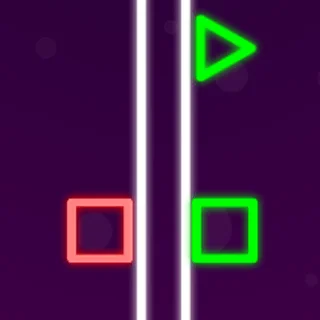
Neon Challenge Legends is a high-speed obstacle runner built around precision elevation control. Taking cues from geometric wave runners, the game puts you in charge of a glowing neon projectile cutting through narrow corridors packed with razor-sharp hazards. Every level demands sharp reaction time and calculated micro-adjustments as you glide through neon chambers filled with spinning saws, shifting laser grids, and spikes.
For players visiting from A Dance of Fire and Ice, the core appeal is immediate: survival depends entirely on finding an exact rhythmic tempo. While the game uses simple single-input mechanics, the narrow margin for error turns every run into an intense reflex challenge where one stray graze means an instant reset.
How to play
The control scheme relies on a single input using your mouse, keyboard, or touchscreen:
- Ascend: Press and hold the left mouse button, Spacebar, or Up Arrow to propel your neon craft upward at a steady climb.
- Descend: Release the button or key to let gravity pull your vehicle back down toward the floor.
- Touchscreens: Tap and hold the display to rise; lift your finger to drop.
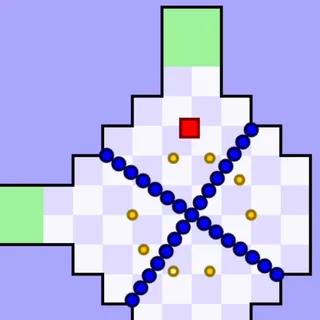
Reaching the exit portal at the end of each stage unlocks the next challenge. Along the track, you will find three optional collectible stars tucked into tight corners and dangerous detours. Collecting stars and scattered gems awards currency that unlocks alternative neon skins in the shop menu.
Tips for clearing tight gaps
- Feather your inputs: Avoid holding the ascend button for extended stretches. Rapid, controlled taps keep your craft level when navigating long, flat corridors lined with ceiling and floor spikes.
- Prioritize survival over stars: The three collectible stars in each stage are deliberately positioned inside tricky hazards. Learn the layout and clear the exit first before attempting high-risk star routes.
- Watch the upcoming terrain: Keep your eyes locked on the right side of the screen rather than staring directly at your own ship. Reading approaching saw blades early gives you ample time to adjust your flight angle.
- Use the practice loop: Stages restart almost instantaneously upon impact. Use quick runs to memorize obstacle patterns and moving trap cycles.
Similar games on A Dance of Fire and Ice
If you enjoy the fast reflexes and neon aesthetic of Neon Challenge Legends, several other titles on this site offer comparable thrills. Big Neon Tower vs Tiny Square channels the same vibrant glow into a massive vertical platforming gauntlet. G-Switch tests your timing with sudden gravity flips instead of continuous flight, while Tunnel Rush pushes high-speed spatial awareness to its absolute limit inside a spinning 3D tube.
Neon Challenge Legends runs natively in any standard web browser without downloads or account setups. Its lightweight design makes it an ideal pick for quick reflex warm-ups between longer gaming sessions.
Questions about Neon Challenge Legends
Is Neon Challenge Legends unblocked at school?
Neon Challenge Legends runs in an ordinary browser tab from adanceoffireandice.com, with nothing to download or install, so it plays on most school Chromebooks and work computers. If a network filter blocks the site, only that network's administrator can change it.
How do you control your ship in Neon Challenge Legends?
Hold the Spacebar, Up Arrow, or left mouse button to ascend, and release it to descend. On mobile devices, simply tap and hold the screen to fly upward.
What is the goal in each level of Neon Challenge Legends?
Your main objective is steering through hazards to reach the green exit portal. You can also collect three optional stars per level to earn extra coins.
How do you unlock new skins in Neon Challenge Legends?
Collect coins and stars during your runs across standard stages or endless mode, then visit the in-game shop to purchase new cosmetic character skins.
Can I play Neon Challenge Legends on mobile and desktop?
Yes. The game runs directly in any modern HTML5 desktop or mobile web browser with full touch and keyboard support, requiring no additional downloads.